One set of clips, a batch of distinct videos.
Drop clips into the library, let AutoCut split long videos, and Tesla Mix auto-merges them into many non-duplicate videos with subtitles and voices, exported up to 4K.
One set of clips, a batch of distinct videos.
Drop clips into the library, let AutoCut split long videos, and Tesla Mix auto-merges them into many non-duplicate videos with subtitles and voices, exported up to 4K.
Free trial plan. Runs on Windows, macOS coming soon.
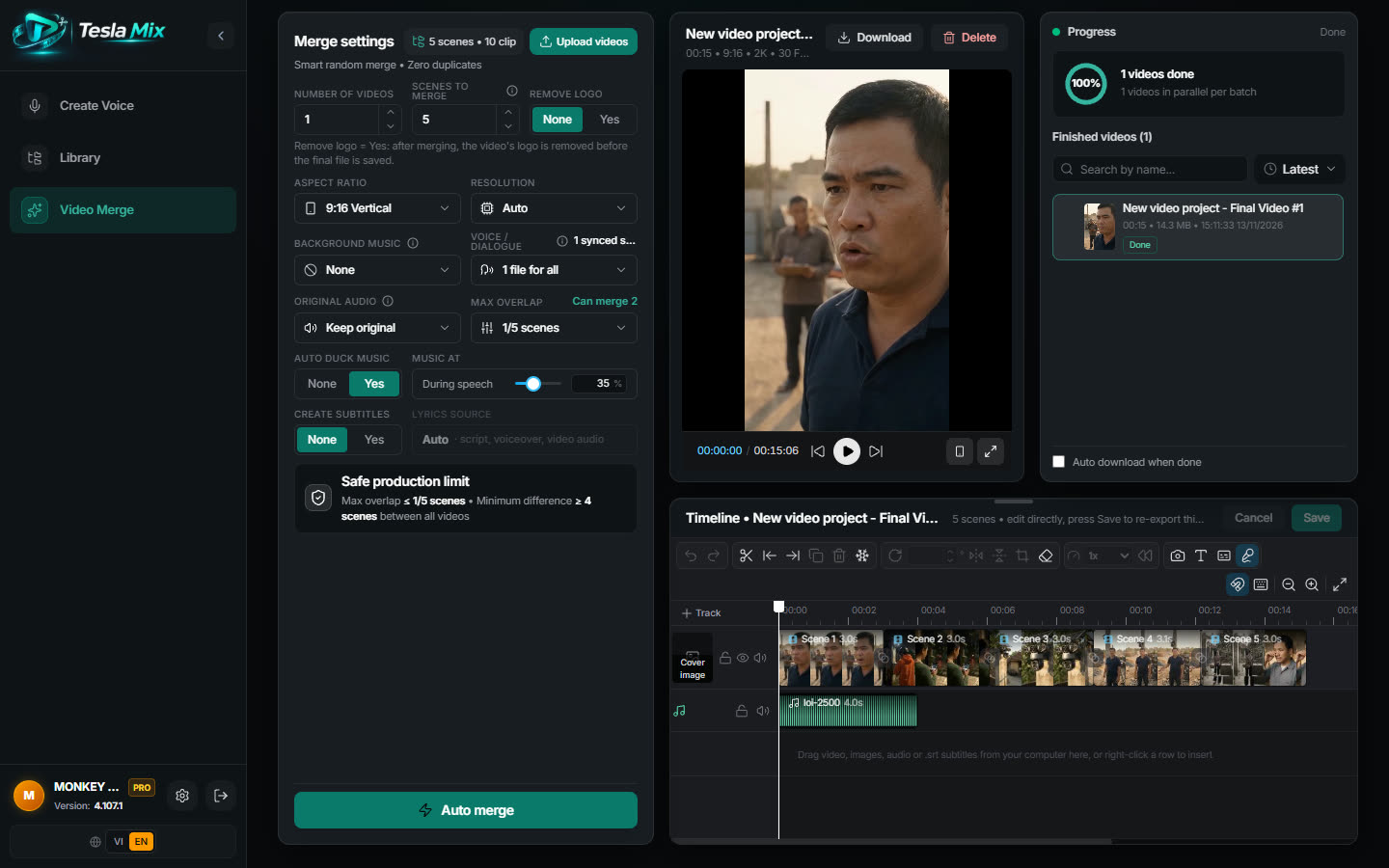
30 clips
5 scenes, 6 clips each
26 videos
at most 1 of 5 scenes shared
- voice providers, one key is enough
- 4
- voice providers, one key is enough
- voice languages
- 24
- voice languages
- auto subtitle styles
- 9
- auto subtitle styles
- max export resolution
- 4K
- max export resolution
Ready to post on
- YouTube
- YouTube Shorts
- TikTok
- Facebook Reels
- Instagram Reels
- Shopee Video
- Zalo Video
The problem
You struggle for hours, Tesla needs just minutes
Your time is your money. Let Tesla handle all of your video production for you.
| You're still doing it by hand | Tesla Mix | |
|---|---|---|
| Merging | Merging each video by hand in CapCut | Bulk auto-merge from one set of clips |
| Duplicates | Merged videos look alike and get flagged as duplicates | Set the most scenes two videos may share and see the count up front |
| Long footage | Scrubbing long footage for the good parts | AutoCut splits it into clips; with a Gemini key AI picks by content |
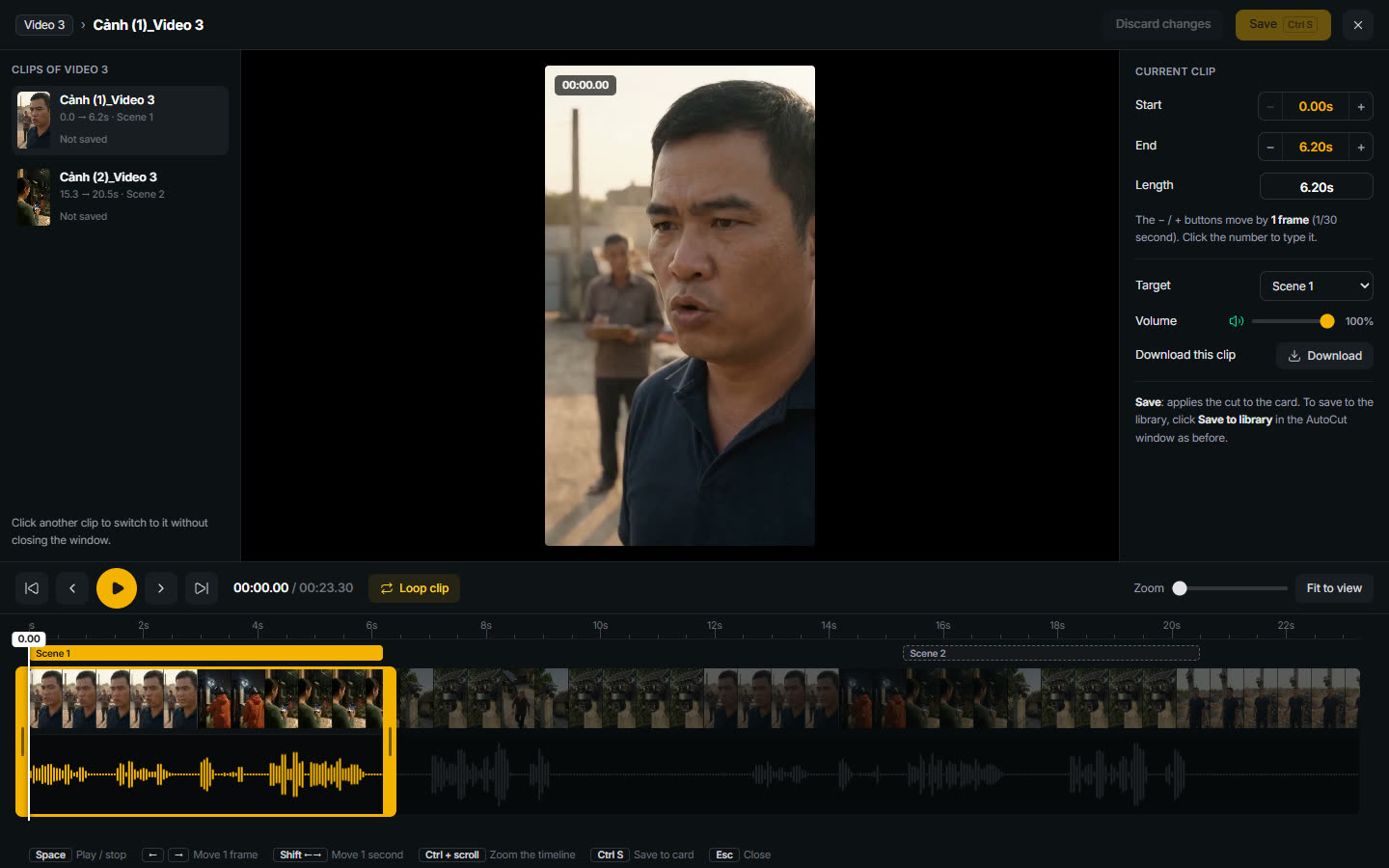
| Trimming | Cutting off the last word | Frame-accurate cuts with a waveform |
| Clip files | Messy files, dragging clips into scenes one by one | Folder library; files named "cảnh 1" land in the right scene |
| Subtitles | Typing subtitles line by line | Auto subtitles in 9 styles, or load an SRT file |
| Voice-over | Hiring voice actors | Voices in 24 languages from 4 providers, one key is enough |
| Logo | Removing logos video by video | Turn on Logo removal and it cleans before saving (paid plans) |
| Fixing a video | Re-exporting from scratch to fix one detail | Edit on the Timeline, hit Save and it re-exports |
| Frame | Rebuilding for every platform frame | Export 9:16, 16:9 or 1:1, up to 4K |
How it works
From clips to a batch of videos in 4 steps
 1
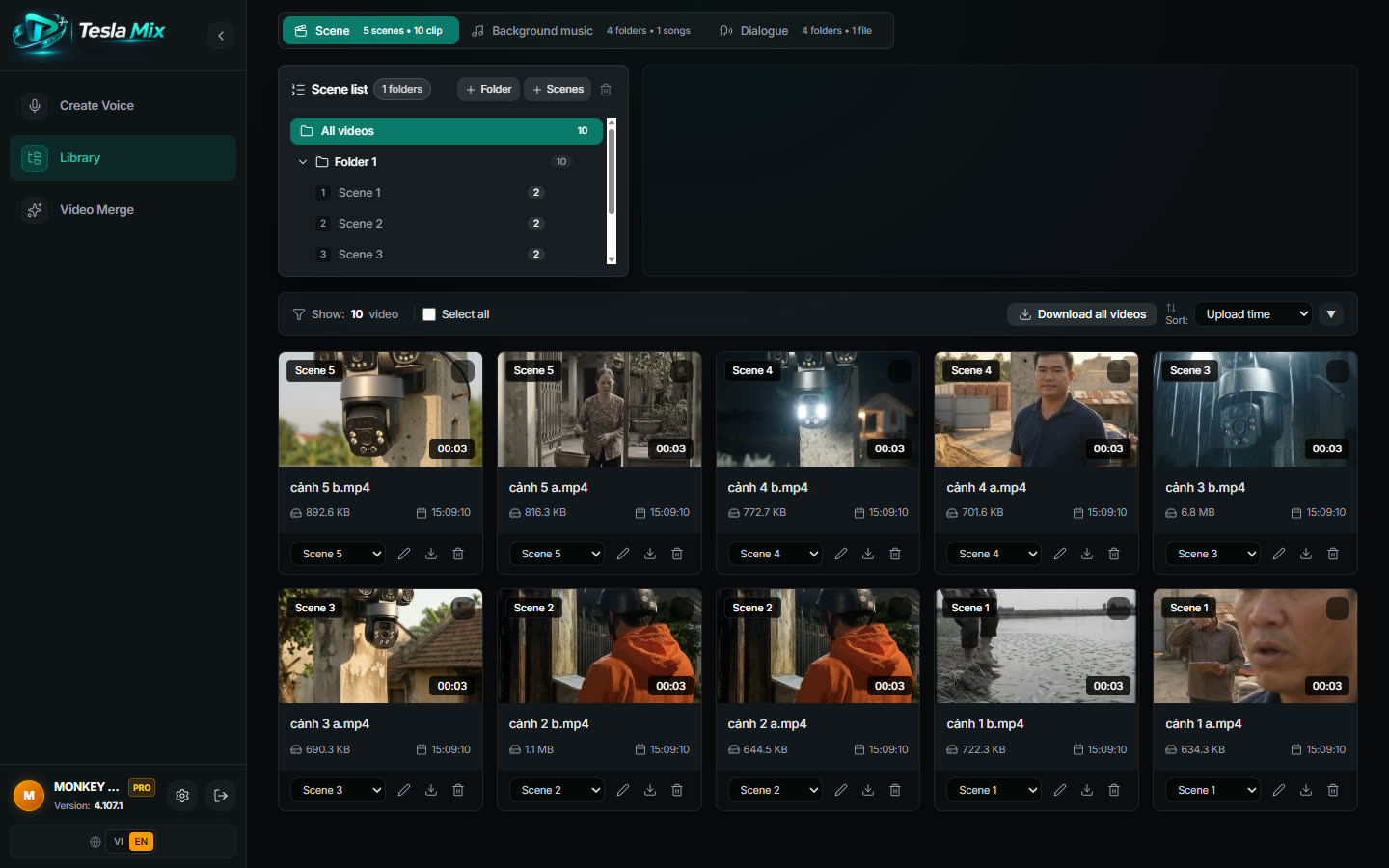
Drop clips into the Library
One folder per scene. Files named with "cảnh 1, cảnh 2" land in the right scene.
 2
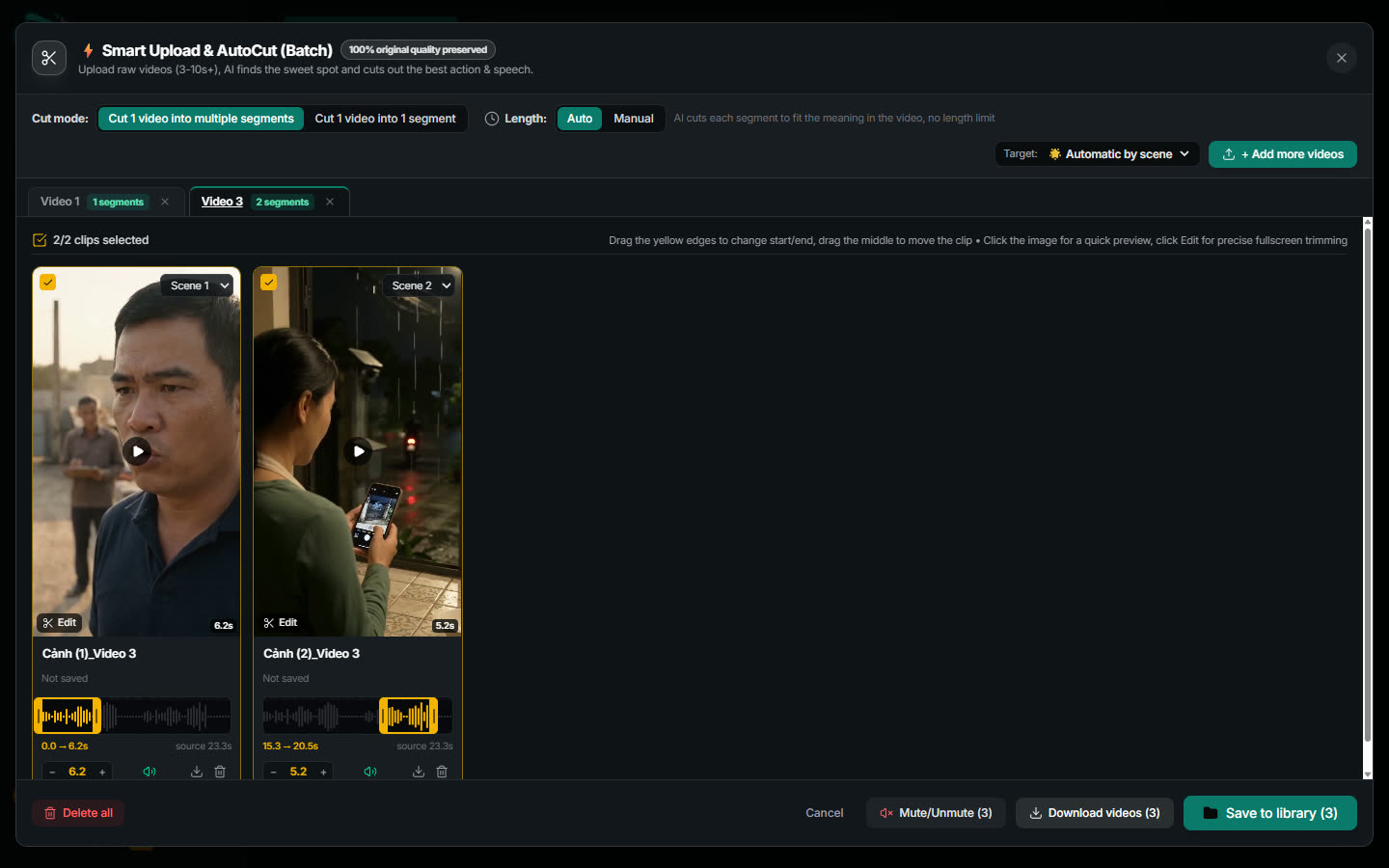
Split long videos with AutoCut
Upload a long video and the app cuts it into clips. Fine-tune any cut to the frame.
- 3
Press Auto merge
Pick the frame, resolution and how many scenes may repeat. See the video count, then merge in bulk.
 4
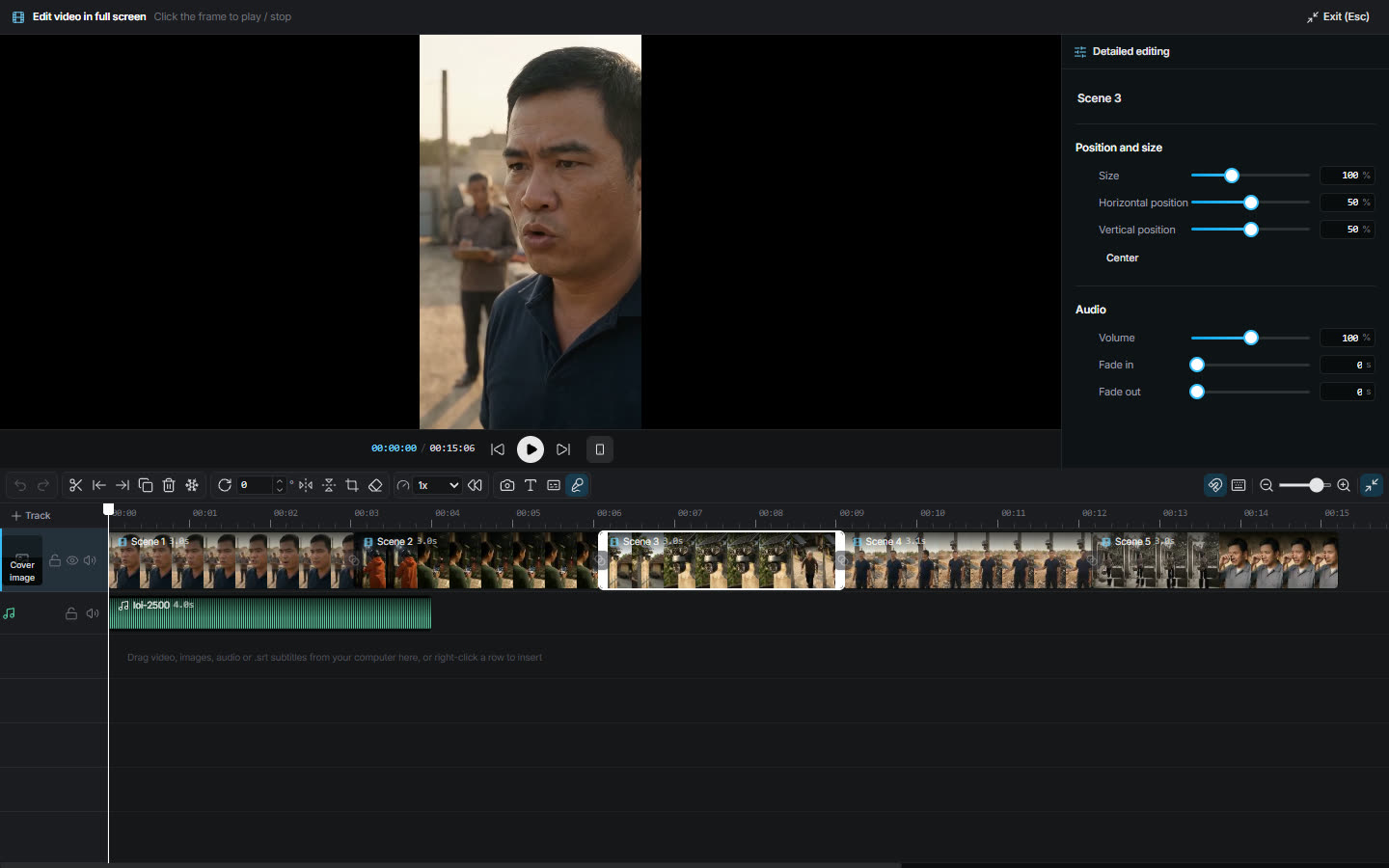
Edit on the Timeline and save
Add subtitles, music and voices. Hit Save and the video re-exports.
Real screenshots
Straight from the running app
Not mockups. 5 screens captured from the latest Tesla Mix.
MixClips sort themselves into scenes
Upload a whole folder and files named "scene 1, scene 2" land in the right scene. Each scene holds several clips for Tesla Mix to combine.
Features
Every tool to merge and finish videos,
in one app
- Production
A library that files clips by scene
Clips land in the right scene
- Editing & tools
AutoCut splits long videos into clips
Upload a long video, get it cut into clips
- Editing & tools
Frame-accurate trimming
Follow the waveform, cut on the pause
- Production
Bulk auto-merge into distinct videos
Set how many scenes may repeat and see the video count up front
 Editing & tools
Auto subtitles for the whole video
9 caption styles, transcribed from the video
- Editing & tools
Timeline for every finished video
Edit, hit Save, the video re-exports
 Voice
AI voices and multilingual voice cloning
AI voices and multilingual voice cloning
 Voice
Multilingual voice-over videos
Voice-over in up to 24 languages from a range of providers: ElevenLabs, Vbee, MiniMax, Maziao
 Editing & tools
Logo removal while merging
Turn on Logo removal and it cleans before saving
 Editing & tools
Vietnamese and English interface
Vietnamese and English
All you need
- A Windows PC (macOS coming soon)
- The clips you already have, sorted by scene
- One voice provider key if you want AI voices
No other video editing software to buy.
- Works with
- Maziao · ElevenLabs · MiniMax · Vbee · Gemini (AutoCut)
- OS
- Windows 10/11 (macOS coming soon)
- Data
- Clips and videos stay on your PC
- License
- Monthly or lifetime
Pricing
Tesla Mix pricing
A limited FREE trial plan. Both paid plans have every feature and differ only in how you pay.
- Trial
FREE
Free trial with limits
0 VND trial
- Auto-merge up to 3 videos per run
- Export videos up to 720p
- No auto subtitles or background music
- No AI voices, upload existing audio files only
- Scene files are not kept after an auto-merge run, upload them again next time
Mix monthly
Pay monthly, use every feature
390,000 VND /month
- Unlimited video merging with every editing tool
- Media library: images, videos, voices, background music
- Voice creation: every voice provider, every language, voice cloning
- Support in the Zalo community group
- Lifetime
Mix lifetime
Pay once, never expires
6,990,000 VND one-time
- Unlimited video merging with every editing tool
- Media library: images, videos, voices, background music
- Voice creation: every voice provider, every language, voice cloning
- Support in the Zalo community group
How to pay
- Open the app, go to Pricing, pick a plan and transfer using the QR code.
- The app fills in the transfer note for you, in the form TMIX <customer code> <plan>.
- If you have a referral code, enter it at the transfer step. It is optional.
- Pay by QR code and your plan is activated right away. For a manual transfer, it is activated once the team confirms the payment.
Updates
Always getting better
Tesla Mix updates itself inside the app, with nothing to download or reinstall. New features and fixes arrive regularly.
FAQ
Frequently asked questions
How many PCs can I use it on?
Each license runs on one PC at a time. Signing in on a new PC signs the old one out.
Is there a macOS version?
The app runs on Windows 10/11 today. A macOS version is coming soon.
Do new features cost extra?
No. Every update, new features included, is free.
Can I get a refund?
We're sorry, but no. Payments are non-refundable for any reason. Please try the FREE plan first to make sure the app runs well on your PC, and message our Zalo support with any questions before you buy.
What do I need for Tesla Mix?
A Windows 10/11 PC (macOS coming soon) and the clips you already have. Put the clips in folders by scene and Tesla Mix reads them straight from your PC.
How many videos do 5 scenes with 6 clips each make?
It depends on how many scenes any two videos may share. Allow at most 1 shared scene and you get 26 videos; allow 2 and you get 162. The app shows the count before it merges.
Does AutoCut need an AI key?
No. With a Gemini key (free from Google AI Studio) AI watches the video and picks clips by content. Without one the app cuts at silences and scene changes.
What are the limits of the Tesla Mix FREE plan?
FREE merges up to 3 videos per run at up to 720p, without subtitles, music or AI voices. AutoCut and Logo removal are also on paid plans.
What paid plans does Tesla Mix have?
A monthly plan at 390,000 VND and a lifetime plan at 6,990,000 VND. Pay by scanning a QR code inside the app.
Which languages can Tesla Mix voice?
Up to 24 languages from 4 providers: Maziao, ElevenLabs, MiniMax and Vbee. One key is enough. Auto subtitles transcribe the video or load an SRT file.
Which frames and resolutions can I export?
9:16, 16:9 or 1:1 frames. Auto, 4K, 2K, 1080p or 720p resolution (FREE is capped at 720p).




















One set of clips, a fresh batch of videos every day
While others still drag clips in one by one, you have already stitched a whole batch. Download Tesla Mix free and run your first batch today.
Get Tesla Mix nowFree trial plan. Runs on Windows, macOS coming soon.